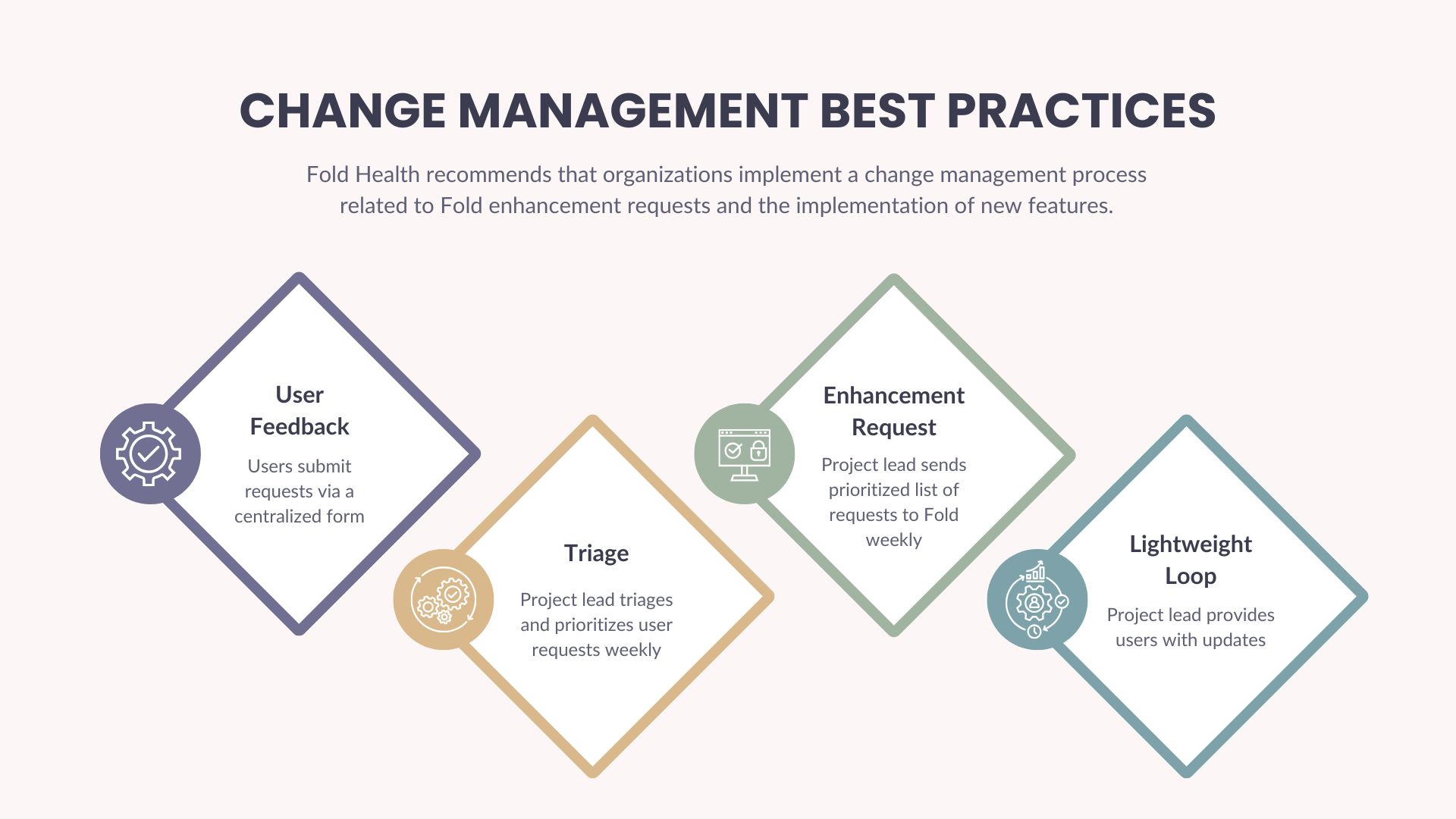
A formalized change management process provides:
- A mechanism for front-end users to share their feedback about the platform
- Visibility into all front-end user requests for your project leadership team
- A mechanism for project leaders to streamline, prioritize, and approve new enhancement requests, taking into account your organization's longer-term plans, projects, and technology strategy
Best practices:
Put the right Fold admin team in place
We recommend that you select 2-3 Fold Super Users who can serve as dedicated resources during the implementation process and ongoing, as you move into a steady state with Fold Health. Super User responsibilities typically include managing the implementation, making decisions about your tablespace configuration, managing questions and user issues, and implementing new features as desired.
We see the most success when multiple Super Users manage the Fold platform collaboratively. Depending on your organization's setup, this could be a lead from each team or a technical lead who pulls in subject matter experts as needed. The most successful Super Users are influential champions for change at your organization. They are excited about adopting the Fold platform, have the authority to lead and make decisions, and are comfortable learning new technology.
Centralized request form (a single source of truth for all front-end user requests)
- Recommended tools: Microsoft Form, Google Form, or Excel
- Required fields:
- Requester name
- Requester department/team
- Description of the enhancement
- Business reason/pain point
- Urgency (Low/Medium/High/Highest)
Weekly triage
- Owner: Department lead or Fold project lead
- Select a day each week to:
- Review new submissions from the past week
- Remove duplicates or unclear requests
- Assign a basic priority (Low/Medium/High/Highest)
Weekly summary of prioritized enhancement requests
- Every Friday, the organization provides a prioritized list of enhancement requests to Fold in a template format, including:
- Summary table (enhancement requests with priority)
- Notes on urgency, deadlines (if any), or blockers
- Request status (New/Follow-up/Escalated)
Light feedback loop to users
- Owner: Fold project lead
- Use the same tracker (Excel, Google Sheet, or dashboard) and update statuses weekly (Not Started/In Review/In Progress/Completed)
- Share back to your users via a weekly email digest, Microsoft Teams, SharePoint, etc.
Was this article helpful?
That’s Great!
Thank you for your feedback
Sorry! We couldn't be helpful
Thank you for your feedback
Feedback sent
We appreciate your effort and will try to fix the article