TABLE OF CONTENTS
- What is Update Contact Display feature?
- What are the usage of Update Contact Display feature?
- How does it work?
What is Update Contact Display feature?
Users now have the option to modify the display title of their SMS and Call conversations within Fold. This feature offers greater flexibility and customization for managing conversations when multiple members/prospects utilize the same phone number.
What are the usage of Update Contact Display feature?
1. Transfer SMS and call conversations from Lead to Patient, when the lead and patient are utilizing same phone number.
2. Move SMS and Call conversations data between duplicate user profiles or between patients having same primary phone number. This frequently occurs when a parent and child have the same phone number on their accounts. This allows the user to select the parents name to populate when a message or call is received by the practice from that phone number.
How does it work?
1. Make sure you have access to SMS/Call inbox. (How to add yourself to Inbox)
2. From the Messages tab on left hand side, search and select a conversation, then select the 'Three Dots' (...) icon within a conversation, and click "Update Contact Display."
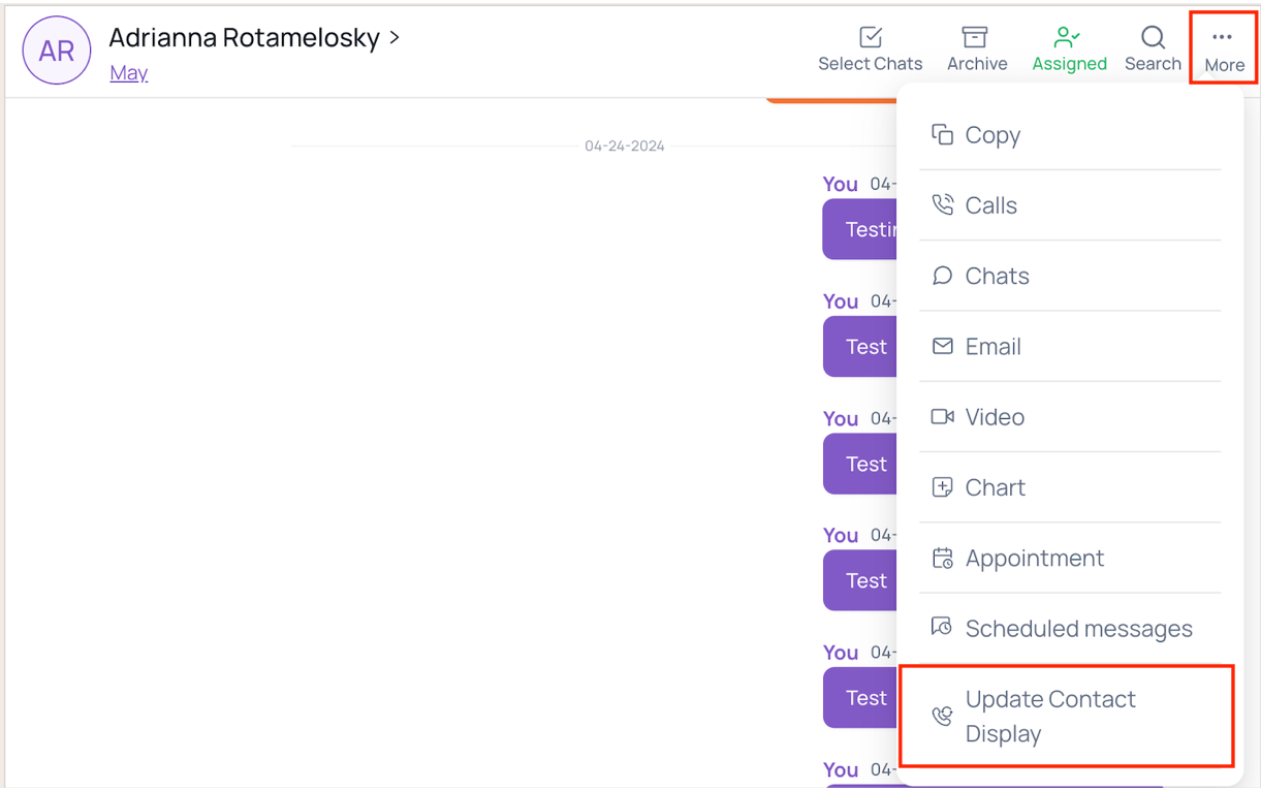
3. Upon selecting "Update Contact Display," a drawer will slide open, presenting the Current Contact and List of Contacts.
- Current Contact : This will be selected and is the first name and last name of the member/prospect under whom the conversation originated.
- List of Contacts : A section displaying all contacts associated with the phone number, arranged alphabetically. Users can choose to update the display title by selecting a contact from the list.
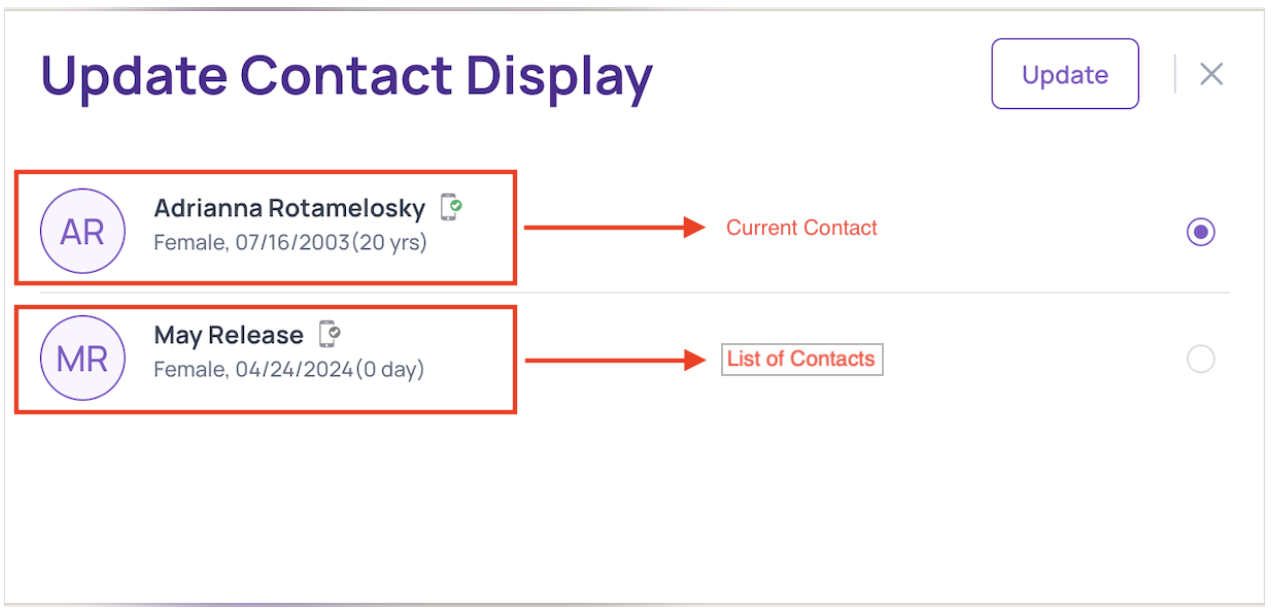
NOTE: To transfer communication from Current Contact to the List of Contacts, the Primary Contact in the List of Contacts must be the same as the Current Contact.
4. If you choose to update the display title by selecting a contact from the list, the following changes will occur:
- The conversation title will be updated to reflect the name of selected contact from the list.

- The existing conversation will move under the selected contact.
Was this article helpful?
That’s Great!
Thank you for your feedback
Sorry! We couldn't be helpful
Thank you for your feedback
Feedback sent
We appreciate your effort and will try to fix the article