Message Search Thread
We've implemented a robust search feature within Fold's system messaging functionality for providers. Now, users can efficiently search through extensive message threads to locate specific information promptly.
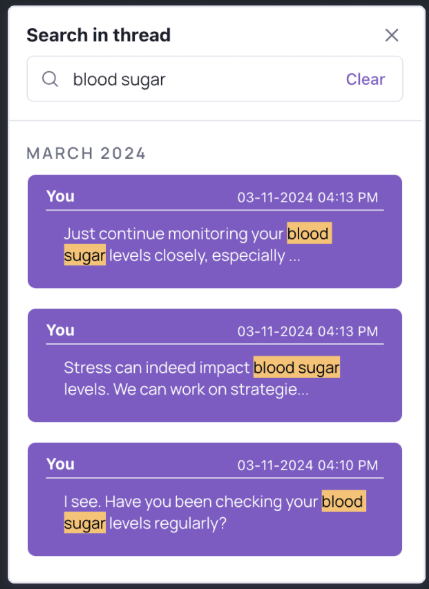
Learn More about searching message threads >
Enhanced Call Log Display
We're excited to introduce new features to enhance call logging within Fold, providing precise insights into call durations.
Learn More about enhanced call logs >
Enhanced Employer Reporting with New Widgets
Introducing a suite of new widgets aimed at deepening insights within your employer reporting functionality. These widgets have been meticulously crafted to offer advanced visualization and analytics, empowering users to make informed decisions.
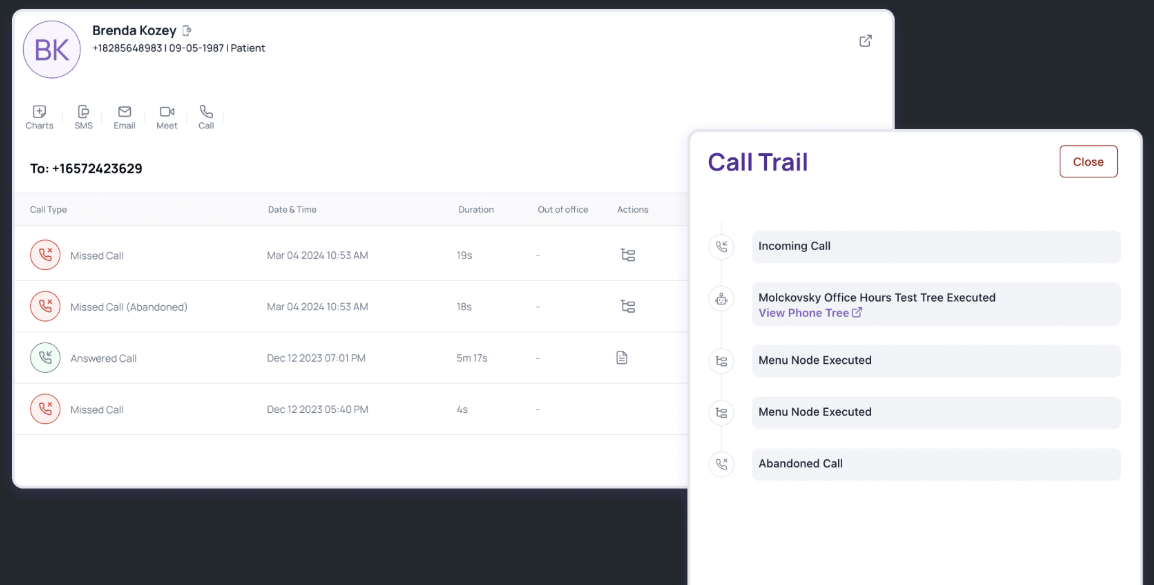
Learn More about Enhanced Call Log Display >
Population Groups – Filter by Care Team
We're excited to introduce the Care Team filter as part of the Population Groups functionality. With this update, practices can now easily filter population groups based on patients’ care team members, allowing for more targeted and efficient patient management.
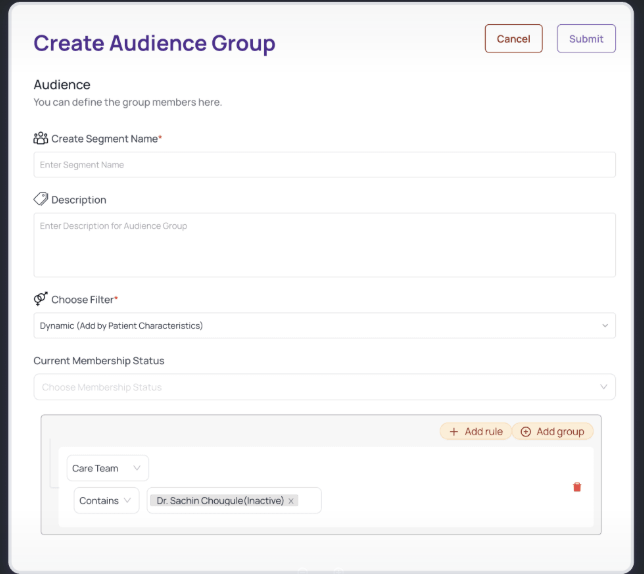
Learn More Care Team Filtering in Population Group >
Expanded Text Box in Fold
Users now have the flexibility to view comprehensive notes within Fold, with an expanded text box displaying up to 1,600 characters.
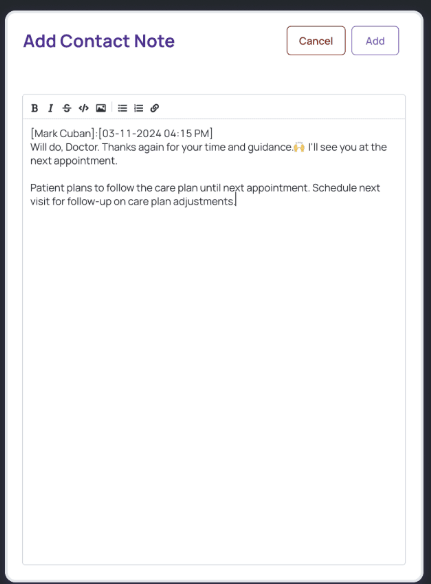
Learn More about the Expanded Text Box >
Filter Patients by Login Status
Practice users can see a new filtering option in the Patients tab of the Provider web interface. With this update, users gain more control over patient management by filtering patients based on whether they have or have not logged in to the patient web/app.
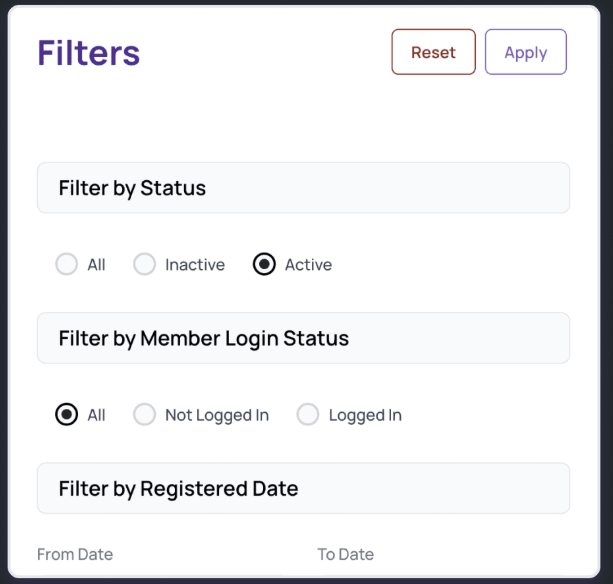
Learn More about Filtering Patients by Login Status >
Improved Browser Tab Display for Patient Names
This enhancement to the Provider web interface optimizes the display of patient names in browser tabs. With this update, the browser tab title will dynamically reflect the patient's name in the sequence: Last Name, First Name Middle Name (including suffix, if any).
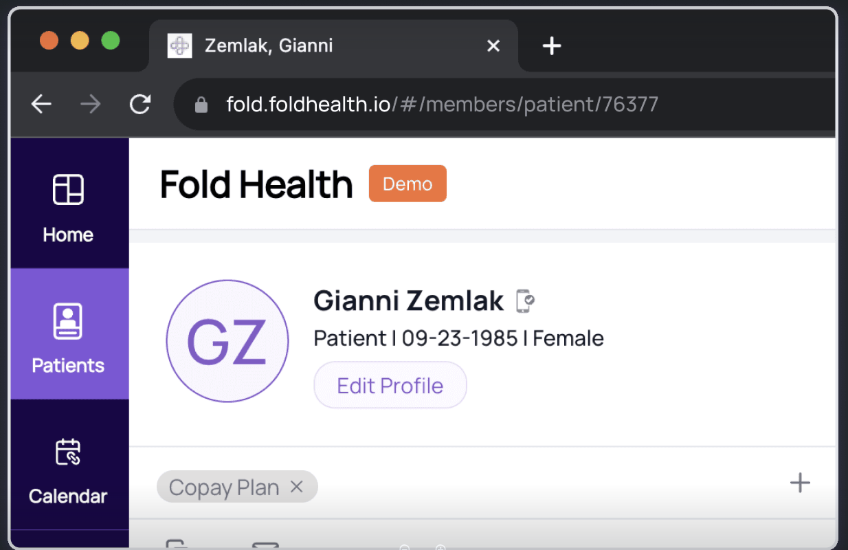
Learn More about improved browser display names >
Additional Features
In this release, we've streamlined widget placement in employer reporting. 'Messaging Utilization (SMS/Chat)' and 'Automated versus manual engagement' are now in the Operations tab. 'Member DPC Utilization Stratification' moved to Clinical's Patient Resource Utilization, and 'Top Diagnosis' to its Clinical subsection.
Optimized Incoming Call Duration Display.
Bug Fixes and Performance Optimization.
Was this article helpful?
That’s Great!
Thank you for your feedback
Sorry! We couldn't be helpful
Thank you for your feedback
Feedback sent
We appreciate your effort and will try to fix the article