What is the Invite Link?
The Invite link is a clickable link that allows users to create an account in one seamless flow, whether they have the Fold Care app downloaded or not. If they are using a web browser, it will take them to a website where they can set up a username and password.
How does the Invite Link Work?
New Users: When a patient who doesn’t have the Fold Care App installed clicks the Invite Link, they’ll be directed to their app store (e.g., Apple App Store or Google Play Store) to download the app or if they are using a web browser, it will take them to a website where they can set up a username and password.
Existing Users: If a patient already has the Fold Care (or branded App) installed, clicking the Invite Link will prompt them to reset their password.
The Invite Link serves both for initial invitations and password resets.
How does a patient receive an Invite Link?
There are 3 ways a patient can receive an Invite Link:
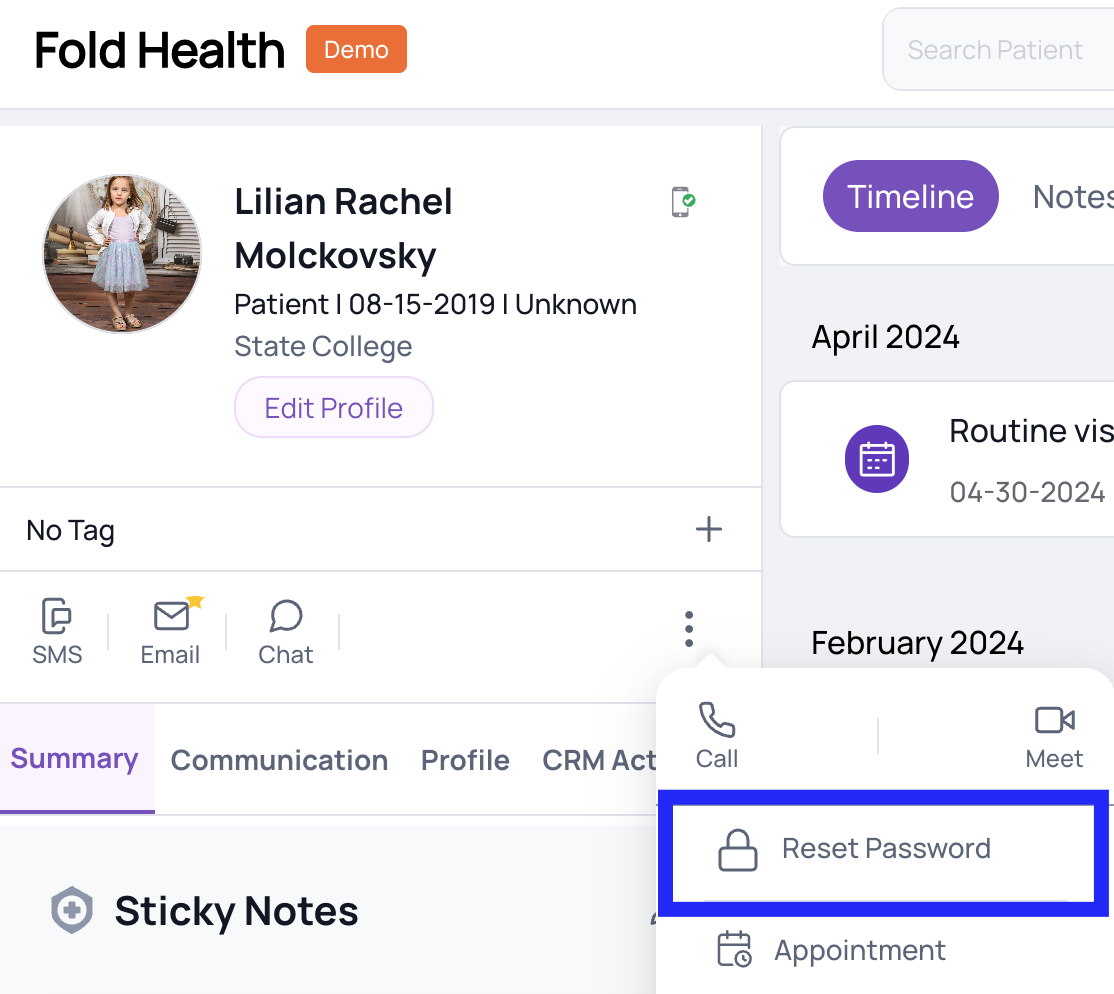
Staff-Initiated Password Reset:
Staff members can initiate a password reset from the Fold Patient profile.
When the reset process begins, an email and SMS (text message) will be sent to the patient containing the Invite Link.
Patient-Initiated Password Reset:
Patients can also initiate a password reset directly from the Fold Care (or branded) App.
Again, the Invite Link will be included in the communication.
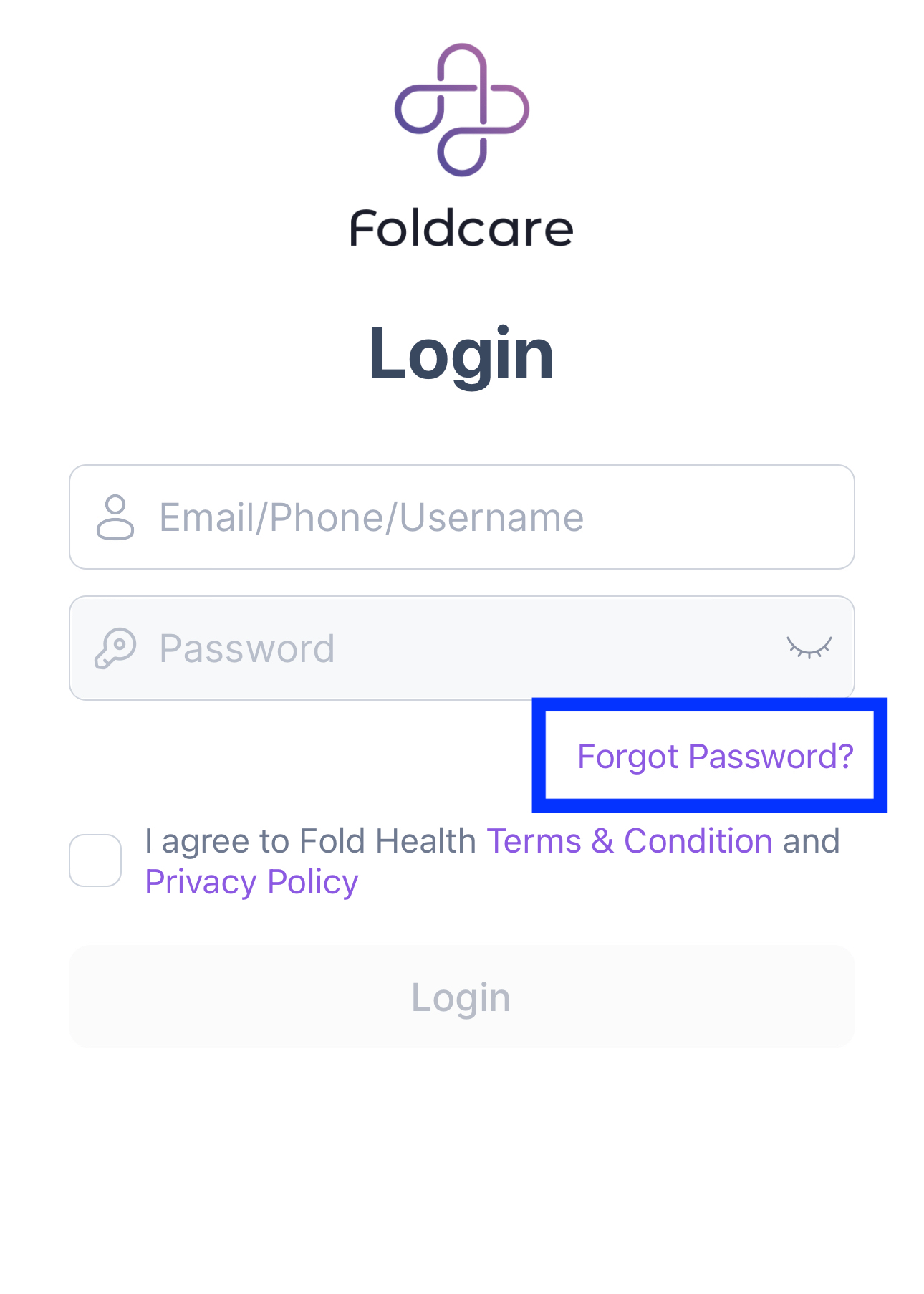
NB: For both patient and staff initiated password resets the default email and SMS of the category “Rest Patient Password with Secure Link” will be sent.
Automation:
Using the App Invite nodes within the Patient/Leads Automation type to send the Invite Link automatically.
Sending an App Invitation from the patient profile or via Settings → Content → Send Email does not generate an Invite Link.
What is the merge tag for the Invite Link?
The invite link uses the case sensitive {{secureLink}} merge tag that can only be used in the following categories:
Patient App Invitation email and SMS templates.
Reset Patient Password with Secure Link template.
Does the Invite Link Expire?
Yes the Invite link expires after 30 days or immediately after it is used.
Can the Invite Link be reused?
No, Invite links are only good for one time use only.
Reference: Confluence
Was this article helpful?
That’s Great!
Thank you for your feedback
Sorry! We couldn't be helpful
Thank you for your feedback
Feedback sent
We appreciate your effort and will try to fix the article