Within Fold, you may encounter error messages related to SMS or emails not going through. Below are explanations of the various errors you may encounter.
SMS Errors
Fail: This status is for patients/members who don't have a phone number on file, or whose SMS sending failed. For example, if a patient replied ‘STOP’ then they will need to reply START to resume messaging.
Undelivered: This status includes members who have a phone number on file, but the SMS service (Twilio) was unable to deliver SMS to that number. Reasons may include:
- The recipient's phone number is not valid or properly formatted.
- The destination number is not capable of receiving SMS.
- The message content violates Twilio's messaging service policies.
- Carrier issues.
"Unreachable destination handset": This error indicates the device is currently unavailable, not that it's permanently out of service. The recipient might be powered off, out of coverage, or not accepting messages at that moment.
"Unknown destination handset": This error suggests the destination number is either unknown or no longer in service. It might be that the number doesn't exist, is a landline, or the device has been decommissioned.
"Your message has been filtered and not delivered": Your SMS message did not contain one or both of the following - ability for the patient to opt-out and/or sender identification. Please see either of these articles for additional information.
"Content size exceeding the carrier limit": This error is generated from mobile carrier because of the message size. Message is too big for what it can handle.
Check message encoding and size using Twilio Messaging Segment Calculator.
SMS Automation Analytics
Within automation analytics, you may see separate columns for Undelivered vs. Failed messages. Undelivered indicates the message went out successfully but the number is invalid, so the message couldn't be delivered (see the SMS error definitions above). Failed indicates the SMS never went out to the recipient, sometimes related to temporary service disruption. 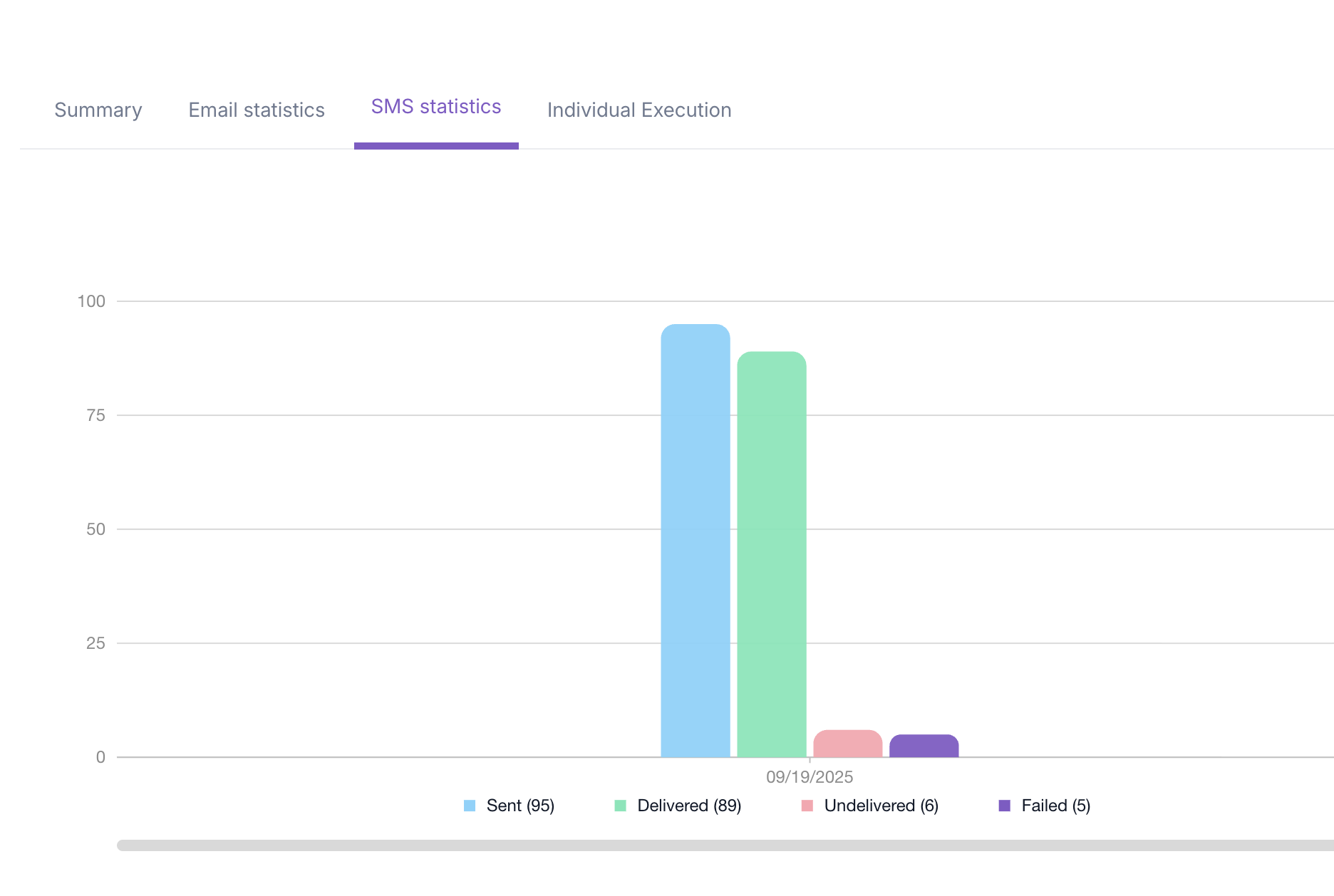
- https://foldhealth.freshdesk.com/support/solutions/articles/156000138550-messaging-chat-sms-email-fax-
- https://foldhealth.freshdesk.com/support/solutions/articles/156000138783-inbox-types-sms-chat-email-efax-web-widget-
Email Errors
Too Old: This error occurs when the email delivery is attempted for over eight hours without success. A common reason is that Mailgun was unable to establish a secure connection with the recipient's email server during this period. To prevent indefinite retry attempts and ensure security, the message is ultimately dropped.
Not Delivering to Previously Bounced Address: This happens when a previous attempt to deliver an email to this address failed, usually because the email address does not exist or is incorrectly formatted. To maintain the health and reputation of your sending domain, future emails to this address are automatically blocked.
Mailbox Unavailable or Spam Rejection: This error can mean either that the recipient's email address no longer exists or that the message was flagged as spam or blocked by the recipient's email server.
Not Delivering to Unsubscribed Address: The recipient previously received an email and chose to unsubscribe from future emails. To comply with anti-spam policies and protect your domain's reputation, Mailgun respects this request and does not send additional emails to that address.
Transaction Failed: The message was rejected by the recipient’s email server. This may happen due to spam filters, blacklisting, or other server-side policies that block certain emails.
No Such Host: The domain name of the recipient's email address is invalid or does not exist. For example, if the domain portion of an email is misspelled or the domain has been taken offline, this error will occur.
Unable to Connect to MX Servers: Mailgun could not establish a connection with the recipient's mail exchange (MX) servers. This could be due to temporary outages, incorrect DNS settings, or firewall restrictions on the recipient’s end.
Storage Full: The recipient’s mailbox is full—either their email provider (e.g., Gmail or Outlook) has reached its storage limit, or the individual account is over quota. As a result, no new emails can be delivered until space is freed.
Mailbox Unavailable: The recipient's email address does not exist. This can happen if the address was deleted or never existed in the first place.
Was this article helpful?
That’s Great!
Thank you for your feedback
Sorry! We couldn't be helpful
Thank you for your feedback
Feedback sent
We appreciate your effort and will try to fix the article