Settings → Members/Leads → Custom Contact Types
What is a custom contact type?
A contact type refers to a category of non-members in Fold. Customers can create their own contact types in Settings → Members/Leads → Custom Contact types. Example custom contact types are Pharmacies, Labs, VIP Prospects, and Benefits Advisors. Whether a contact type can be converted to a member/patient is determined by the Contact Type settings.
How are custom contacts created?
Custom contacts can be created manually via Leads & Contact tabs → “+ Add New” button or via Import.
What parameters can I choose for a custom contact type?
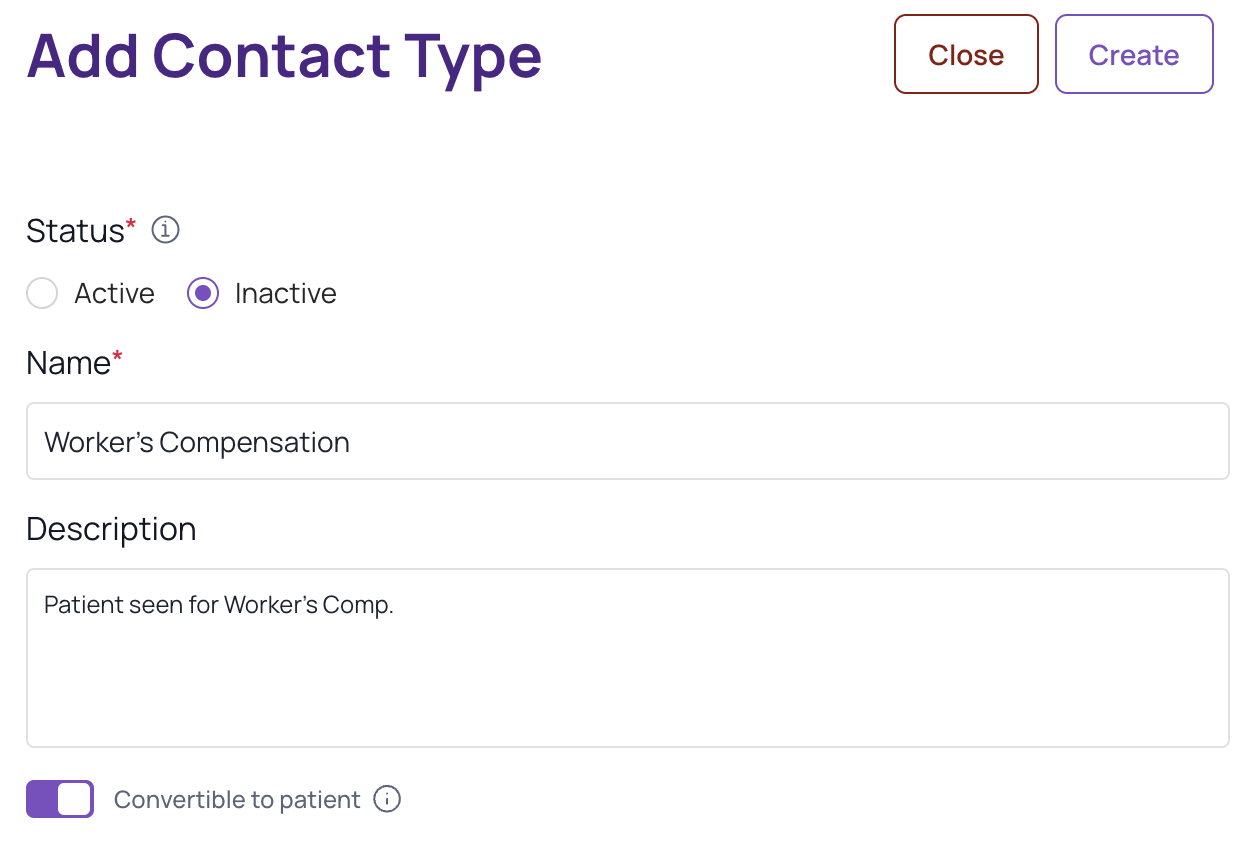
You can control the name of the custom contact type, the default contact type status (Active vs. Inactive), and whether the contact type can be converted to a patient.
Was this article helpful?
That’s Great!
Thank you for your feedback
Sorry! We couldn't be helpful
Thank you for your feedback
Feedback sent
We appreciate your effort and will try to fix the article